

A GST bill is a tax invoice that carries everything your buyer needs to claim input tax credit and everything the GST portal expects to see in your GSTR-1. Get the fields right once in your software and every bill after that is right too. This guide covers what must be on the bill, how the tax is split, and the steps to make one in Moharbill, or for free in the browser if you don't use billing software yet.
What a GST bill must show
Rule 46 of the CGST Rules lists the details of a tax invoice. For a trader selling goods, these are the ones that matter on every bill:
- Your name, address and GSTIN.
- An invoice number of up to 16 characters, in one series, unique for the financial year, and the invoice date.
- The buyer's name, address and GSTIN if they are registered. For an unregistered buyer, the name and address are needed when the bill is ₹50,000 or more.
- Place of supply with the state name and code, and the delivery address if it differs from the billing address.
- For each line: description, HSN code, quantity with unit, rate, discount and taxable value.
- The GST rate and amount: CGST and SGST (or UTGST) for a sale inside your state, IGST for a sale to another state, and cess if any.
- Whether tax is payable on reverse charge, and your signature or digital signature.
HSN digits
- Turnover up to ₹5 crore: at least 4-digit HSN on B2B bills.
- Turnover above ₹5 crore: 6-digit HSN on every bill.
- Not sure of a code? Use the HSN code finder. Check with CA
CGST and SGST, or IGST?
It depends on where the supply ends, not where the buyer's office is. If the place of supply is in your own state, the tax is split equally into CGST and SGST. If it is in another state, the whole tax is IGST. Moharbill picks the split from the place of supply on the bill.
| Example: ₹10,000 taxable at 18% | Tax on the bill | Bill total |
|---|---|---|
| Seller in Maharashtra, place of supply Maharashtra | CGST 9% ₹900 + SGST 9% ₹900 | ₹11,800 |
| Seller in Maharashtra, place of supply Gujarat | IGST 18% ₹1,800 | ₹11,800 |
Check any figure with the free GST calculator, and print the total in words with the amount in words tool.
Make a GST bill in Moharbill
Check your firm details
In Settings → Business, confirm your GSTIN, address and state. In Settings → Numbering, set the invoice series (for example INV/26-27/). Every bill takes the next number by itself.
Add the party
In Parties, type the buyer's GSTIN. The name, state and address fill in from the GST public search, and the GSTIN is checked.
Add your items
In Items, add each product with its HSN code, unit (pcs, kg, box, metre) and GST rate. If your items are in Tally or Excel, import them instead.
Press F8 for a new bill F8
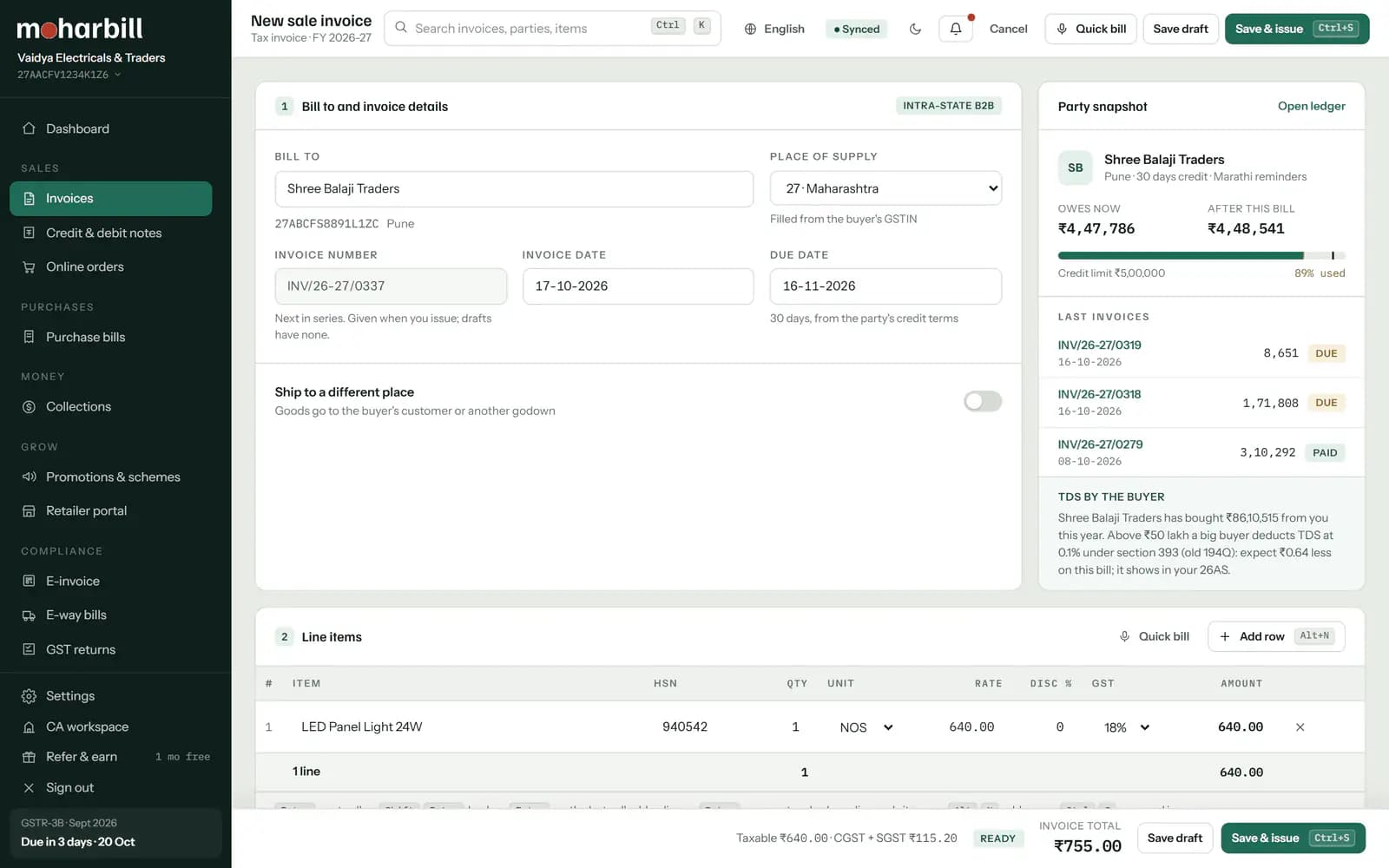
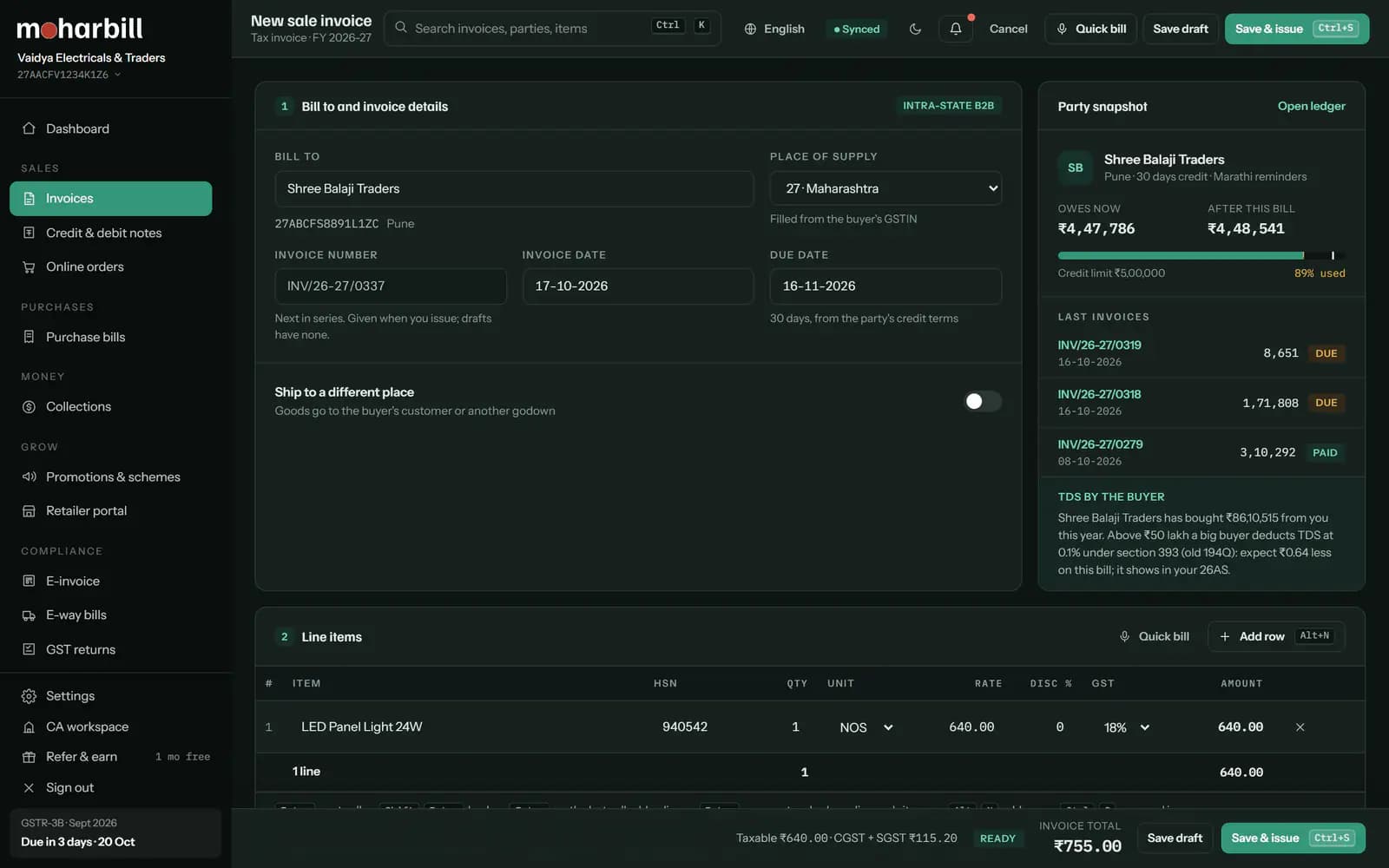
Pick the party, then add items and quantities. Press Enter to move to the next field. The place of supply comes from the party; change it if goods are delivered to another state.
Check the tax and save CtrlS
CGST + SGST or IGST is worked out per line from the place of supply. Round-off and the amount in words are added. Press Ctrl+S to save; the bill gets its number.
E-invoice, if it applies to you AltG
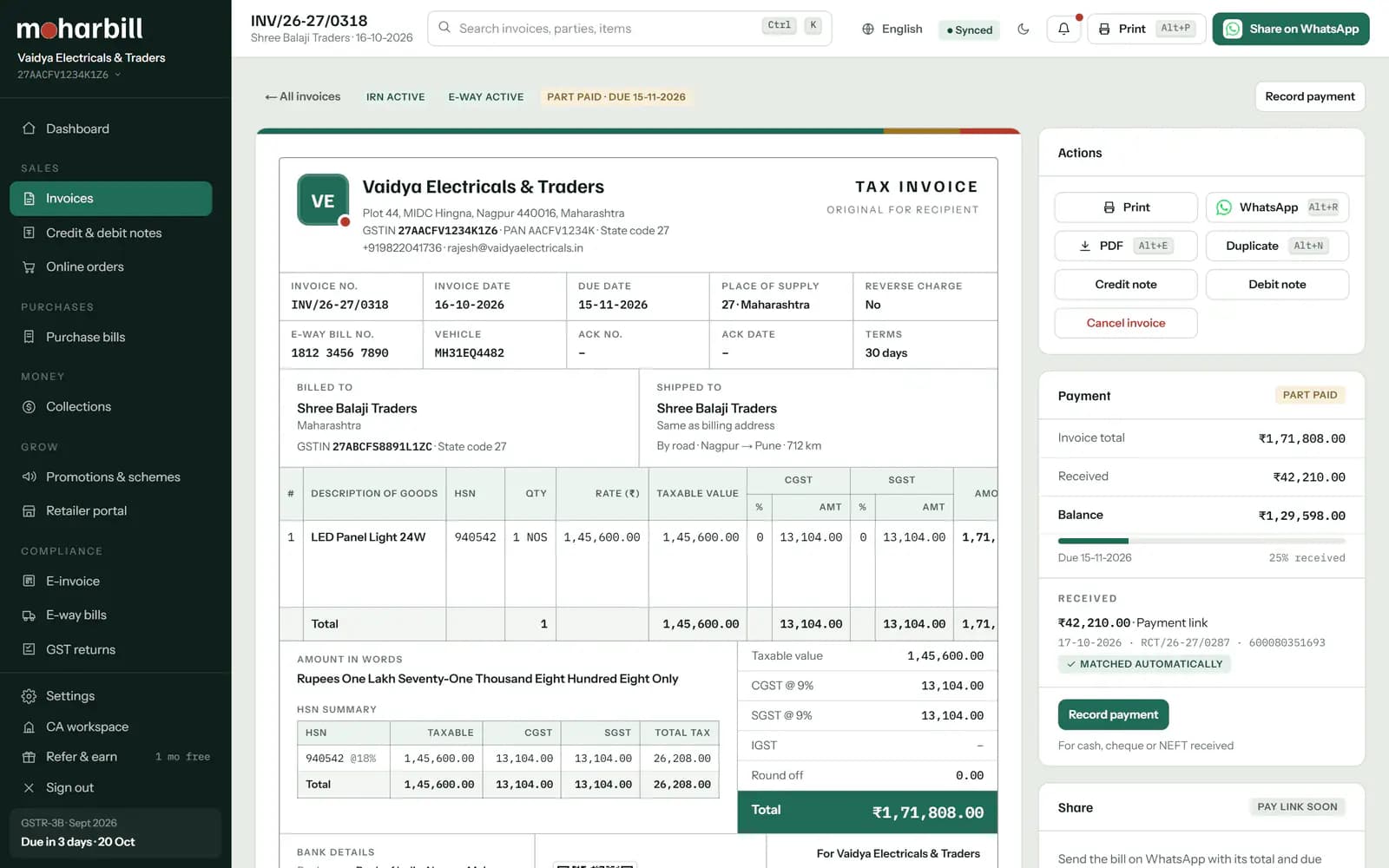
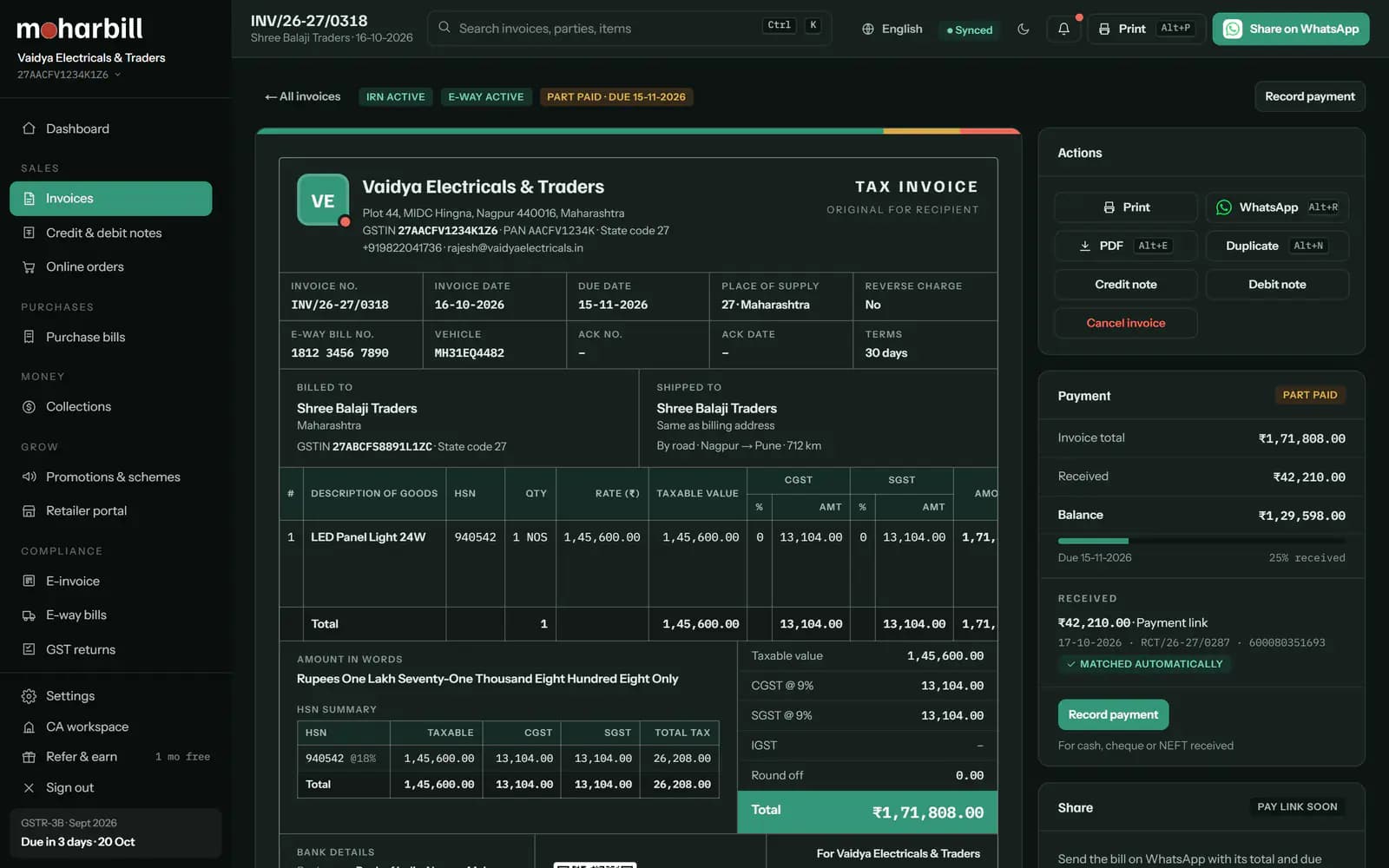
If your turnover has crossed ₹5 crore in any year since 2017-18, a B2B bill needs an IRN. Generate it from the bill with Alt+G; the IRN and signed QR print on the bill. Not sure? Use the e-invoice applicability checker.
Print or share AltP
Print on A4, A5 or a thermal printer, or share the PDF with the party. If the goods are worth more than ₹50,000 and move by vehicle, make the e-way bill before they leave: see e-way bill kaise banaye.


No billing software yet? Make one GST bill for free
For an occasional bill, the free GST invoice generator builds a GST bill in the browser with the fields above, CGST and SGST or IGST, and the amount in words, ready to print or save as PDF. When you are making bills every day, keeping parties, items and the invoice series in one place saves the typing and keeps your GSTR-1 in step with your bills. Either way, you can verify a buyer's GSTIN before you bill them.
Mistakes that cause trouble later
- Wrong place of supply: IGST charged on a local sale (or the other way round) has to be corrected with a credit note and a fresh bill.
- Gaps or repeats in the series: a skipped or reused number shows up in the document summary of GSTR-1.
- Buyer's GSTIN typed by hand: one wrong character means the buyer can't see the credit in their GSTR-2B.
- 4-digit HSN above ₹5 crore: the IRP rejects the e-invoice until the code has 6 digits.
Questions about GST bills
GST bill kaise banaye mobile se?
Moharbill runs in the phone's browser, so you can make a GST bill on a phone the same way as on a computer: pick the party, add items and save. For a one-off bill, the free GST invoice generator also works on a phone.
Is a GST bill the same as a tax invoice?
Yes. A GST bill is the tax invoice a registered person issues for a taxable supply. For exempt supplies, and for composition dealers, a bill of supply is issued instead.
Do I need to put HSN codes on every bill?
Yes, on B2B bills: at least 4 digits up to ₹5 crore turnover and 6 digits above it. Above ₹5 crore the 6-digit HSN is needed on B2C bills too.
Can I make a GST bill without software?
Yes. A bill made by hand or in a spreadsheet is valid if it carries all the Rule 46 details. Software helps keep the numbering unbroken, the tax split right and your GSTR-1 ready from the same bills.
When do I need an e-invoice instead of a normal GST bill?
When your aggregate turnover crossed ₹5 crore in any financial year since 2017-18. Then every B2B invoice, export and credit or debit note needs an IRN from the IRP.
How many bills can I make on the Free plan?
50 sales invoices a month, including up to 20 e-invoices, with no time limit and no card.
Sources
Checked on 17-10-2026. Tax statements are reviewed by a CA before launch.
- CGST Rules 2017, rule 46 (tax invoice), including the invoice number of up to 16 characters.
- CBIC Notification 78/2020-Central Tax (HSN digits on tax invoices from 1 April 2021).
- CBIC Notification 10/2023-Central Tax (e-invoicing for aggregate turnover above ₹5 crore from 1 August 2023).