Free tool · no login · files stay on your computer
Free GSTR-2B reconciliation tool
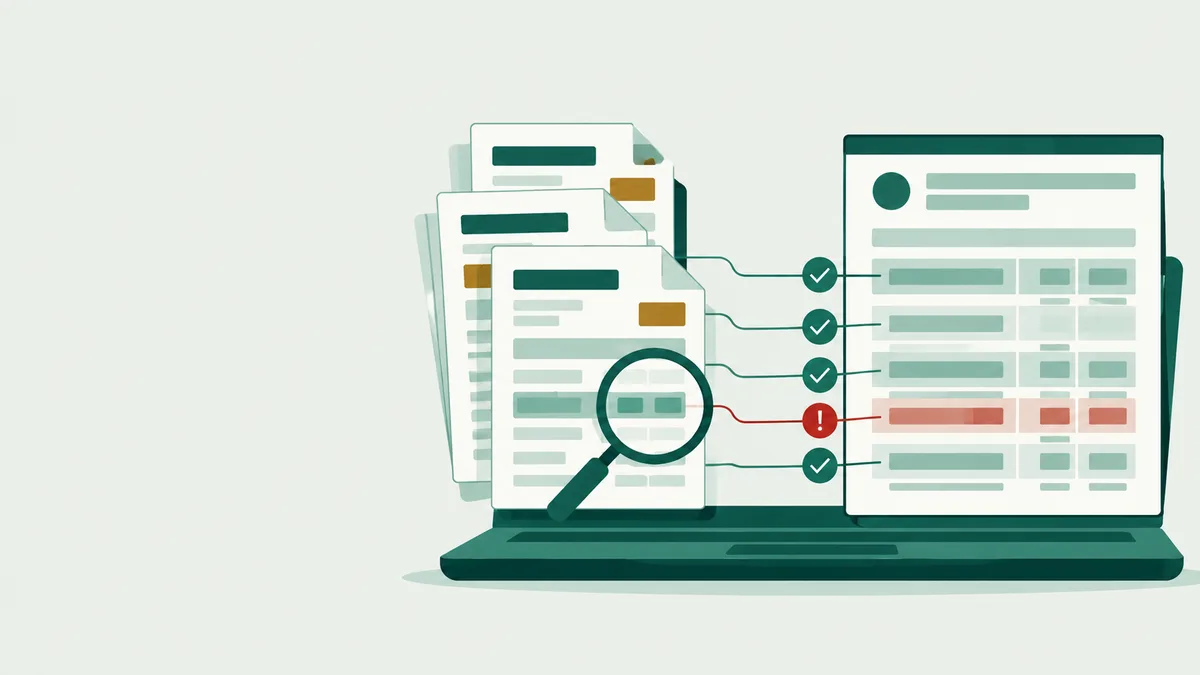
Match your purchase register with GSTR-2B in a minute. See which bills match, which differ and which suppliers to chase before the IMS cut-off on the 14th.
- JSON, ZIP or Excel 2B

 Tally or Excel register
- Download results for Excel
How it works
Three steps, about a minute
GSTR-2B is the monthly statement of ITC your suppliers have reported for you. Your 3B claim should match it.
- 1

Download your 2B
On gst.gov.in open Returns → GSTR-2B, pick the month and download the JSON or Excel.
- 2

Add your purchase register
Excel or CSV from your books with supplier GSTIN, bill number, date, taxable value and tax.
- 3

See matches, chase suppliers
Matched, mismatched and missing bills, with the exact next step for each before the 11th and 14th.
The tool
Add your two files
1GSTR-2B from the portal
gst.gov.in → Returns → GSTR-2B → Download JSON or Excel.
2Your purchase register
Excel from Tally or any software.
Add both files to see your matches
We match on supplier GSTIN, bill number and tax amount, allowing for small rounding and number-format differences like "INV-4602" and "4602".
Your files never leave your computer
They are read in your browser, not uploaded to our servers, and closing this tab clears them.
FAQ
Questions traders ask
Something else? Ask your CA to open the tool with you, or write to us after you sign up.
Which 2B file should I download?
Use the JSON (or Excel) from Returns → GSTR-2B on gst.gov.in for the month you are filing 3B for. The PDF can't be read by any tool.
What format must my purchase register be in?
Any Excel (.xlsx) or CSV with supplier GSTIN, bill number, bill date, taxable value and tax. Exports from Tally and other desktop software work; column names can differ, we find them by their headings.
How do you decide a bill matches?
Same supplier GSTIN, same bill number after ignoring prefixes, spaces and leading zeros, and tax within ₹1. Same GSTIN and tax with a different number is shown as "Check number".
Is this the same as IMS?
No. IMS is where you accept, reject or keep pending your suppliers' invoices on the portal. This tool tells you what to do there; you still take the action on the portal before the 14th.
Is it really free? What happens to my data?
Yes, free with no login. The files are read in your browser and never sent to us. If you want this monthly without uploads, Moharbill's Free plan is ₹0 too.
Moharbill · Pakka bill, har baar.
Do this every month without uploading files
Purchase bills, GSTR-1 and 3B working, e-invoices and e-way bills in one place, shared with your CA. Free plan, no card.