IncludedOn every plan, free for 20 a month
E-invoice software: IRN in one click, e-way bill from the IRN
Save the bill, press Alt+G and the IRN and signed QR are on it in seconds; then make the e-way bill from the IRN without typing anything again. We check the bill before it reaches the IRP, keep retrying in the background when the portal is down, and warn you before the 30-day window closes.
No card · IRN through an approved IRP API · Your CA joins free
 IRN + QR
 E-way bill
 Share on WhatsApp

How it works
From bill to IRN and e-way bill in three steps
No separate portal, no JSON upload, no copying the IRN back into the bill or retyping it for the e-way bill.
- 1
Make the bill as usual
Press F8, pick the party and add items. Place of supply, CGST/SGST or IGST and ship-to GSTIN are filled for you.
- Party: Shree Balaji Traders
- Place of supply: 27 · Maharashtra
- Tax: CGST 9% + SGST 9%
- 2
Save, then generate the IRN
Press Ctrl+S to save, then Alt+G on the bill (or tick up to 50 bills and generate together). GSTIN, 6-digit HSN, tax type and the 30-day window are checked before the request goes to the IRP.
- Buyer GSTIN active
- HSN 6 digits on all lines
- IRN a91f…04b8 and signed QR
- 3
E-way bill from the IRN
On the e-way bills screen press Alt+W: Part-A comes from the IRN, you add the distance and the vehicle. Print the bill with its QR, or share it on WhatsApp.
- Part-A from the IRN
- Distance 712 km · valid 4 days
- EWB 3412 0098 7765
Inside the app
Every IRN in one register


The 30-day IRN guard
Never lose an invoice to the 30‑day rule
Since April 2025, if your turnover is ₹10 crore or more, the IRP refuses any invoice older than 30 days. A bill that misses the window can't get an IRN, and your buyer can't claim the credit.
- Alerts at day 20 and 25 on the dashboard and in the alerts of the owner and accountant.
- One click to clear the backlog: every pending invoice, oldest first, through bulk IRN.
- Below ₹10 Cr? The guard stays on as a reminder; you'll know before the rule applies to you.
Bulk IRN
Month-end rush? Tick and generate
Select up to 50 invoices at a time and generate their IRNs together. Each one is checked first; the good ones go through, the rest wait with a fix. Then make each e-way bill from its IRN on the e-way bills screen.
Errors in plain language
The IRP says a code. We tell you what to change.
| When the IRP says | Moharbill tells you |
|---|---|
| Invalid HSN code | HSN must be 6 digits for your turnover. Try 853650. |
| Buyer GSTIN inactive / cancelled | This party's GSTIN is cancelled on the GST portal. Bill as B2C or ask them for the new GSTIN. |
| 2150 · Duplicate IRN | This bill already has an IRN at the IRP. Click Fetch existing IRN and it is attached to the bill. |
| Invoice date beyond 30 days | Too late for an IRN. Raise a fresh invoice with today's date and cancel the old one in your books. |
| Total value mismatch | Line totals and invoice total differ by ₹0.40. Turn on round-off and retry. |
| Pincode / state mismatch | Ship-to pincode 411001 is in Maharashtra, not Karnataka. Fix the ship-to state. |
| IRP timeout | The portal is not responding. The bill stays queued and we keep retrying in the background; the IRN appears on the bill when it comes back. |
E-invoice software price
No per-IRN charge inside your plan
E-invoices and e-way bills share one monthly limit. Prices before GST.
Compare plansFree
₹0
20 / month
Pro
₹999/mo
1,000 / month
Business
₹2,499/mo
5,000 / month
Who has to issue e-invoices in 2026?
Every GST-registered business whose aggregate turnover crossed ₹5 crore in any financial year from 2017-18 onwards must issue e-invoices for B2B sales, exports and credit or debit notes. B2C invoices do not need an IRN.
What is the 30-day rule for e-invoices?
If your aggregate turnover is ₹10 crore or more, the IRP will not accept an invoice that is more than 30 days old. Moharbill counts the days on every pending invoice and alerts you at 20 and 25 days so nothing gets blocked.
Can I generate the e-way bill with the e-invoice?
Yes. Once the IRN is back, make the e-way bill from it on the e-way bills screen: Part-A comes from the IRN, so you only add the vehicle or transporter. You can add Part-B later, update the vehicle, or extend validity from the same screen. See e-way bill software.
What if the IRP is down or slow?
Your bill is saved anyway. Moharbill queues the IRN request and keeps retrying in the background; the IRN and QR appear on the bill when they come back, and you can also retry from the bill or the Failed tab.
Can I cancel an IRN?
Yes, within 24 hours of generation, from the invoice screen, with a reason. After 24 hours the IRP does not allow cancellation, so Moharbill guides you to raise a credit note instead.
How much does the e-invoice software cost?
E-invoicing is included on every plan: 20 a month free, 1,000 a month on Pro (₹999 a month or ₹9,999 a year) and 5,000 a month on Business (₹2,499 a month or ₹24,999 a year). Prices exclude GST.
Works well with
 For electrical distributorsHSN 8536, 8544 and 9405 handled
 Import from TallyParties, items and balances in about 10 minutes
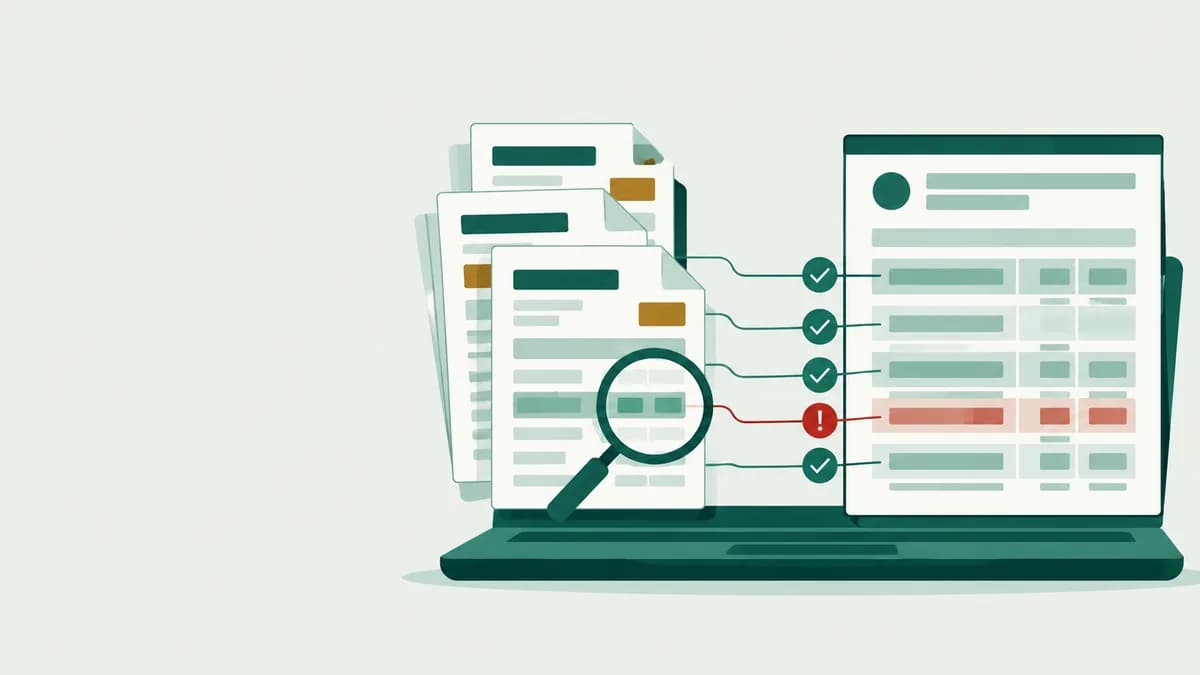 Free GSTR-2B matching toolUpload 2B and your purchases
More features
Pakka bill, har baar.
Generate your first IRN in 10 minutes
Connect your IRP login once, press F8, save and press Alt+G. 20 e-invoices a month are free.