

If your turnover has crossed ₹5 crore in any year since 2017-18, every B2B invoice needs an IRN from the Invoice Registration Portal (IRP). In Moharbill the IRN and the e-way bill come from the same screen you bill on. It takes about a minute.
Before you start
- IRP API credentials are connected in Integrations (one time)
- The party has a GSTIN, and it is active
- Every item has a 6-digit HSN code
- For the e-way bill: vehicle number or transporter ID
Step by step
Create the invoice F8
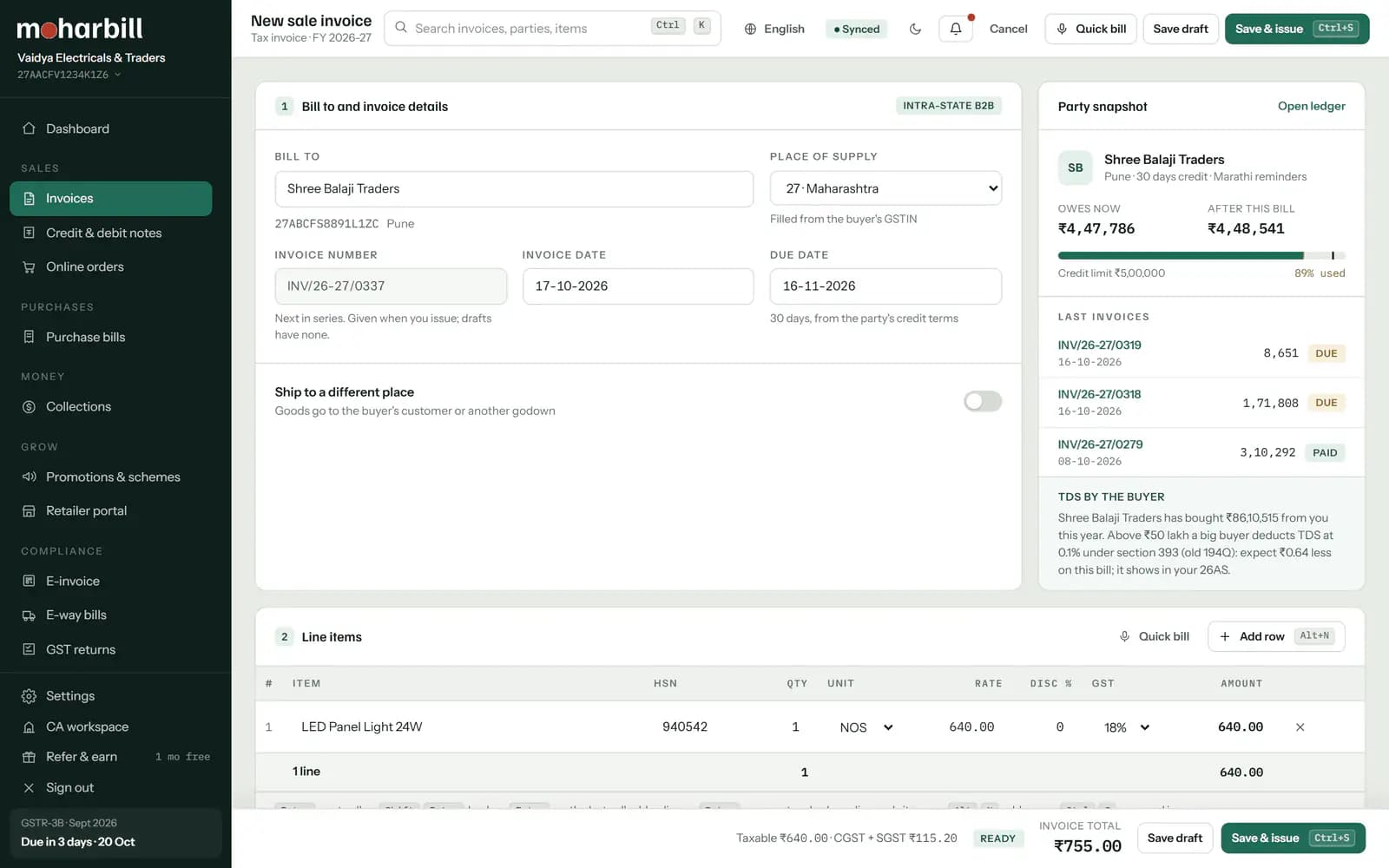
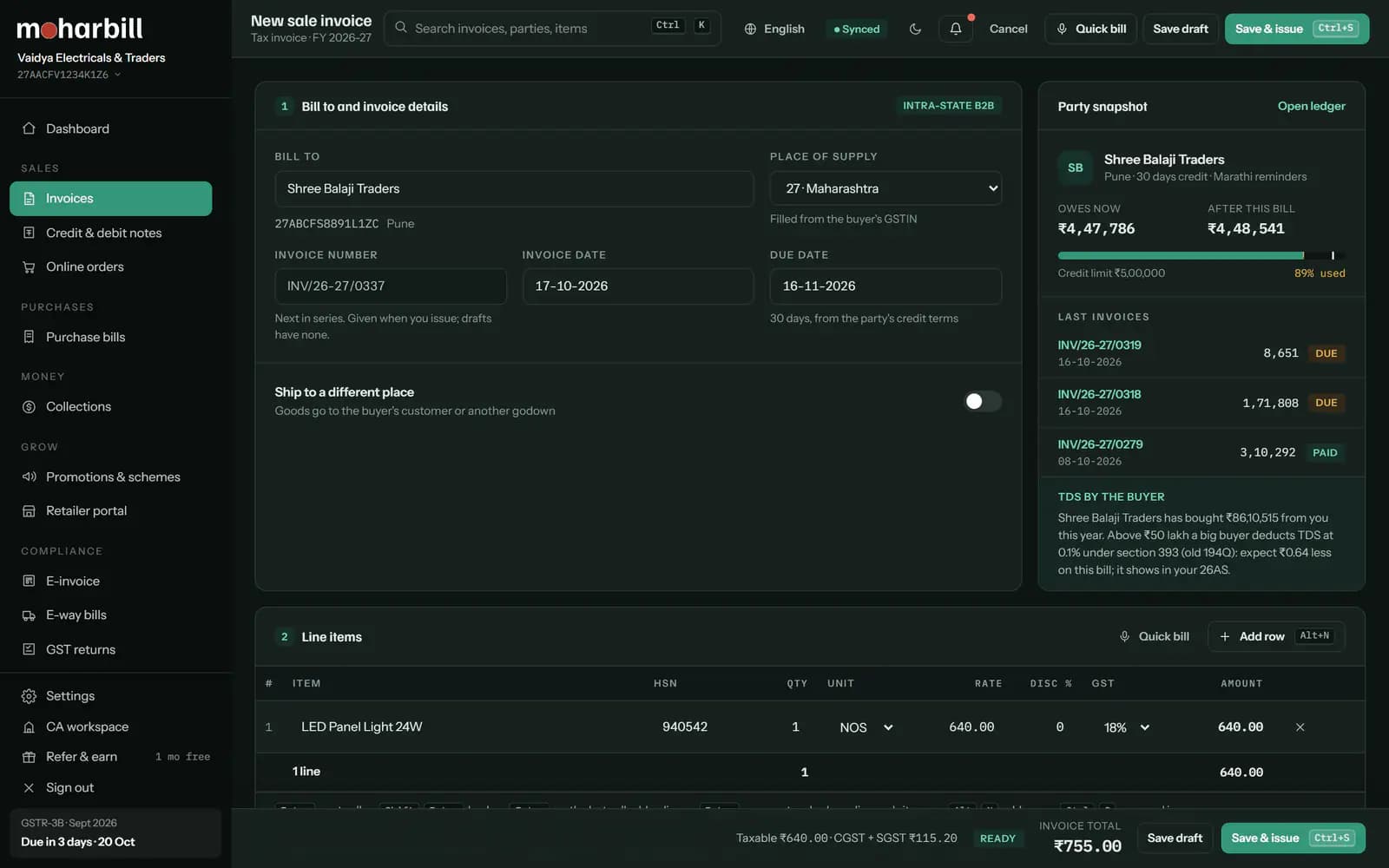
Press F8 from anywhere. Pick the party; their GSTIN and state fill in. Check the place of supply, then add items. Press Enter to move to the next field.
Save and let the checks run CtrlS
Before anything goes to the IRP, Moharbill checks the things that usually make it fail. If something is wrong, you see the exact field to fix, not an error code.
Generate the IRN AltG
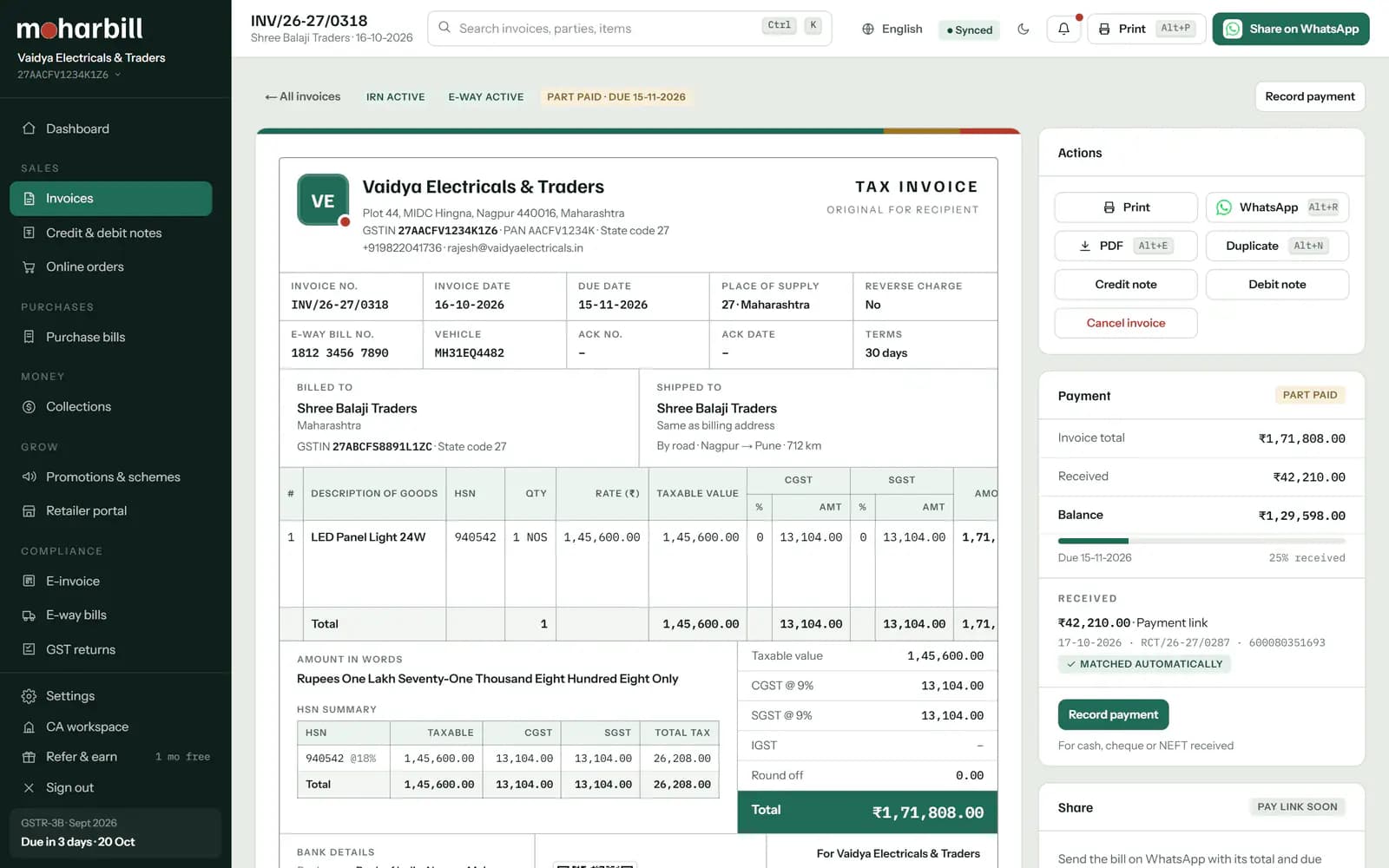
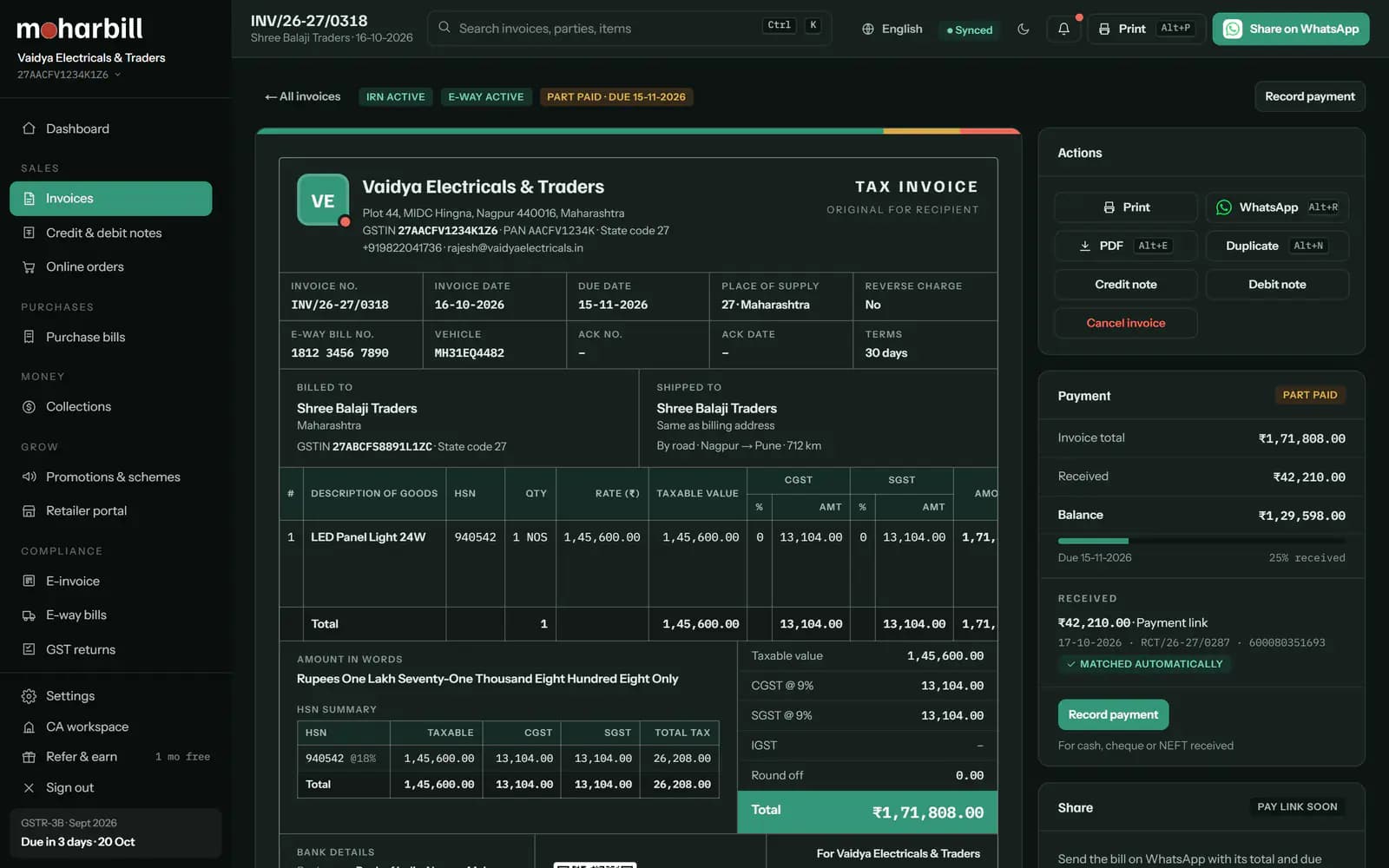
Press Alt+G or click Generate IRN. The IRP returns the IRN, acknowledgement number and signed QR code, which are printed on the invoice. You can cancel an IRN within 24 hours if something is wrong.
Many bills at once: in E-invoice → Pending, tick up to 50 bills and generate their IRNs together.
Generate the e-way bill AltW
Part-A is already filled from the IRN. Add Part-B: vehicle number (or the transporter ID if they will add it), and check the distance. Validity is worked out for you: 1 day for every 200 km or part of it, for normal cargo.
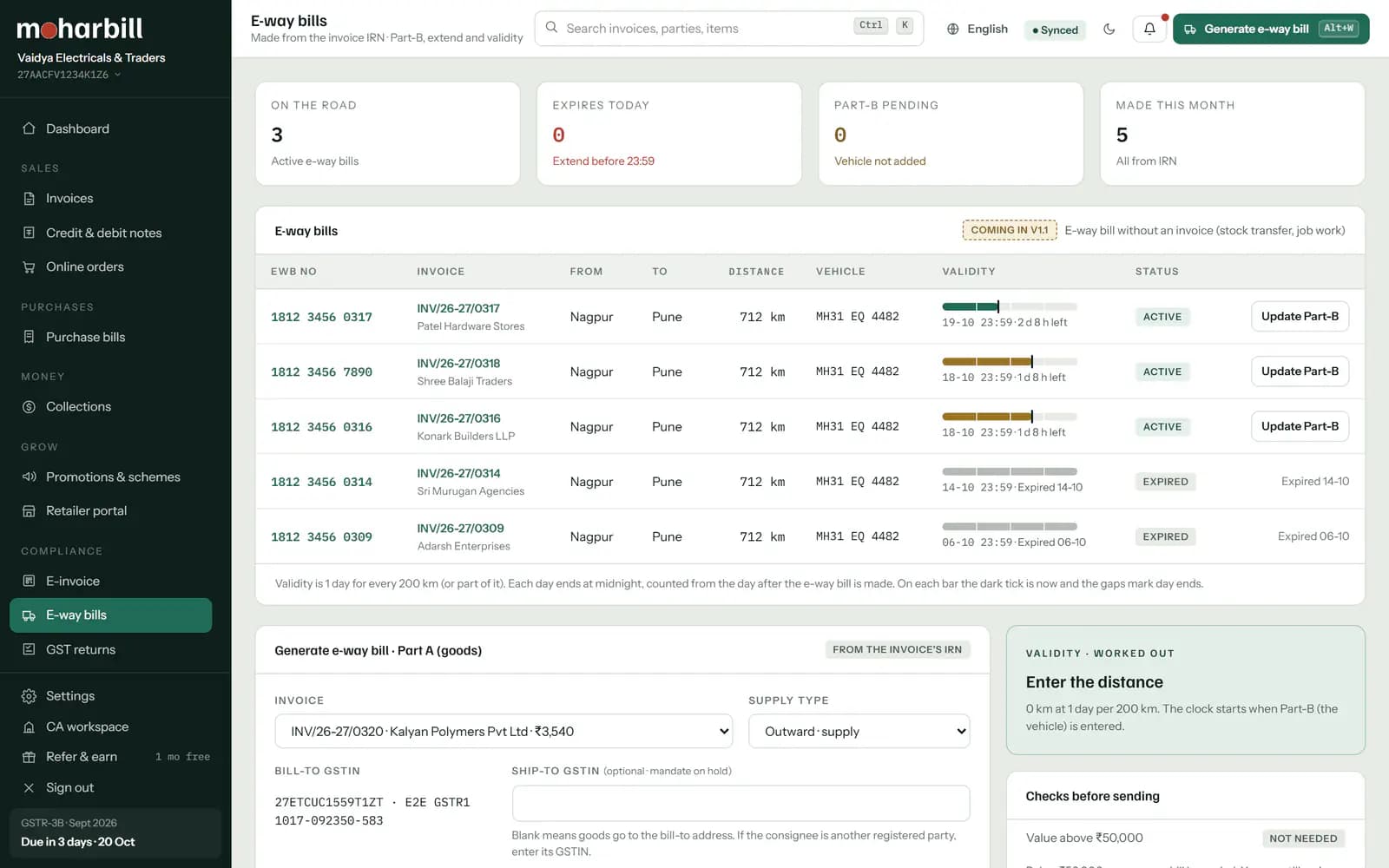
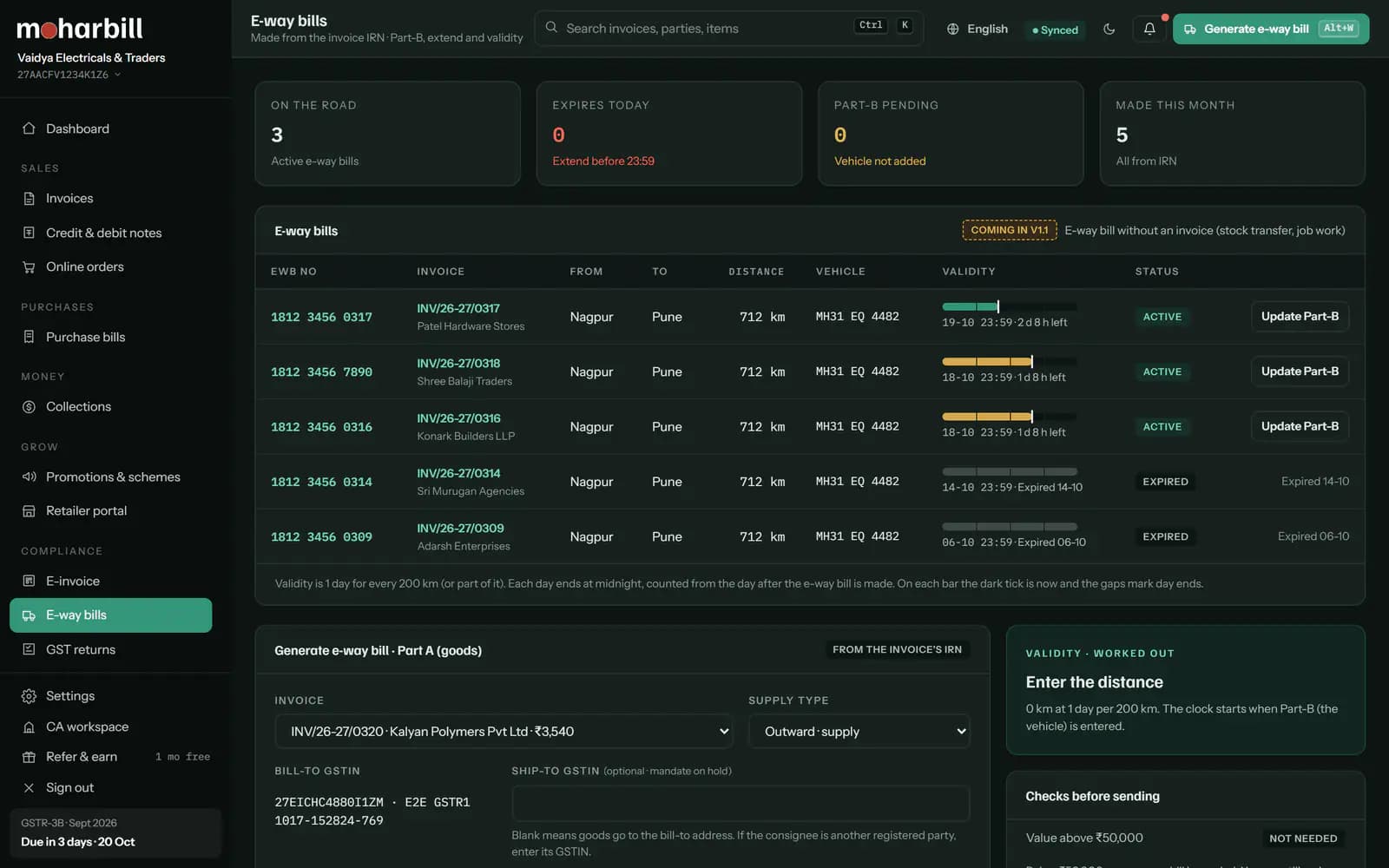
The e-way bill must exist before the goods leave. It is needed when the consignment is above ₹50,000; some states set a higher limit for movement inside the state. Moharbill flags every bill above ₹50,000 today; state-specific limits are added after our CA review.
Print or share AltP
Print the invoice with its QR code and e-way bill number, or send it on WhatsApp with a UPI payment link. The driver can carry the e-way bill number; a printout isn't required.


Keyboard shortcuts on this screen
| Do this | Press |
|---|---|
| New sales invoice (from anywhere) | F8 |
| Next field / previous field | Enter/ShiftEnter |
| Save the invoice | CtrlS |
| Generate IRN | AltG |
| Generate e-way bill | AltW |
| AltP | |
| Command palette / all shortcuts | CtrlK·? |
Full list: Keyboard shortcuts
Common errors and how to fix them
If the IRP says no, Moharbill shows the reason in plain words on the invoice and in E-invoice → Failed. These are the ones we see most.
GSTINBuyer GSTIN is inactive or cancelled
Why: the party's registration is suspended or cancelled on the GST portal, so the IRP won't accept them as a registered buyer.
Fix: open the party and click Check GSTIN again. If it is still inactive, ask the party. If they are really unregistered now, bill them as B2C (no IRN is needed), or wait until their registration is restored.
2150Duplicate IRN
Why: an IRN already exists for this document number, type and financial year under your GSTIN. Often the first request worked but the reply was lost on a slow connection, or the invoice was also uploaded from another software.
Fix: click Fetch existing IRN. Moharbill pulls the IRN and QR from the IRP and links them to this invoice. If that IRN was made with wrong details, cancel it within 24 hours and make a new invoice with a new number; the IRP doesn't allow the same number again.
POSPlace of supply doesn't match the tax type
Why: when the place of supply is in another state the bill needs IGST; in your own state it needs CGST + SGST. The IRP rejects a mix-up.
Fix: change the Place of supply field; Moharbill switches the tax type for you. For goods, it is normally the state where the goods are delivered. For bill-to / ship-to deals the rule is different, so confirm with your CA. Check with CA
HSNHSN code is too short or not valid
Why: businesses above ₹5 crore turnover must show a 6-digit HSN on B2B invoices, and the IRP checks it against its master.
Fix: open the item and pick the 6-digit HSN from the list. Fix it once in Items and every future bill is right.
30 daysInvoice is older than 30 days
Why: if your turnover is ₹10 crore or more, the IRP accepts an invoice only within 30 days of its date (since 1 April 2025).
Fix: there is no way to get an IRN for it now. Talk to your CA about correcting it. To avoid it, watch the Pending tab: Moharbill warns you from day 20.