

An e-way bill is the electronic document that travels with goods worth more than ₹50,000. It must exist before the truck leaves, and it has to match the bill it is made from. This guide explains when you need one, what goes into it, and the steps to make it from your e-invoice in Moharbill or directly on the government e-way bill portal.
When do you need an e-way bill?
- When goods of consignment value above ₹50,000 move in a vehicle, for a sale, a return, job work or a stock transfer.
- Some states have notified a higher limit for movement inside the state (for example ₹1 lakh in Maharashtra and Delhi), and some exempt movement within a city. Check your state's current notification with your CA. Check with CA
- For goods sent to a job worker in another state, an e-way bill is needed whatever the value.
Part-A and Part-B
| Part | What it holds | Who usually fills it |
|---|---|---|
| Part-A | GSTINs of supplier and recipient, place of delivery (pincode), document number and date, value, HSN, reason for transport | The seller, from the invoice |
| Part-B | Vehicle number (road) or transport document number (rail, air, ship) | The seller or the transporter, when the vehicle is known |
Validity starts only when Part-B is first added: one day for every 200 km or part of it for normal cargo, ending at midnight. Work it out with the free e-way bill validity calculator.
Make an e-way bill from the IRN in Moharbill
Make the bill and its IRN AltG
Save the bill with Ctrl+S and generate the IRN with Alt+G. If the bill is above ₹50,000, the invoice screen tells you an e-way bill is needed.
Open E-way bills and pick the invoice AltW
Go to Compliance → E-way bills and press Alt+W on the invoice. Part-A is filled from the IRN: parties, items, HSN and value.
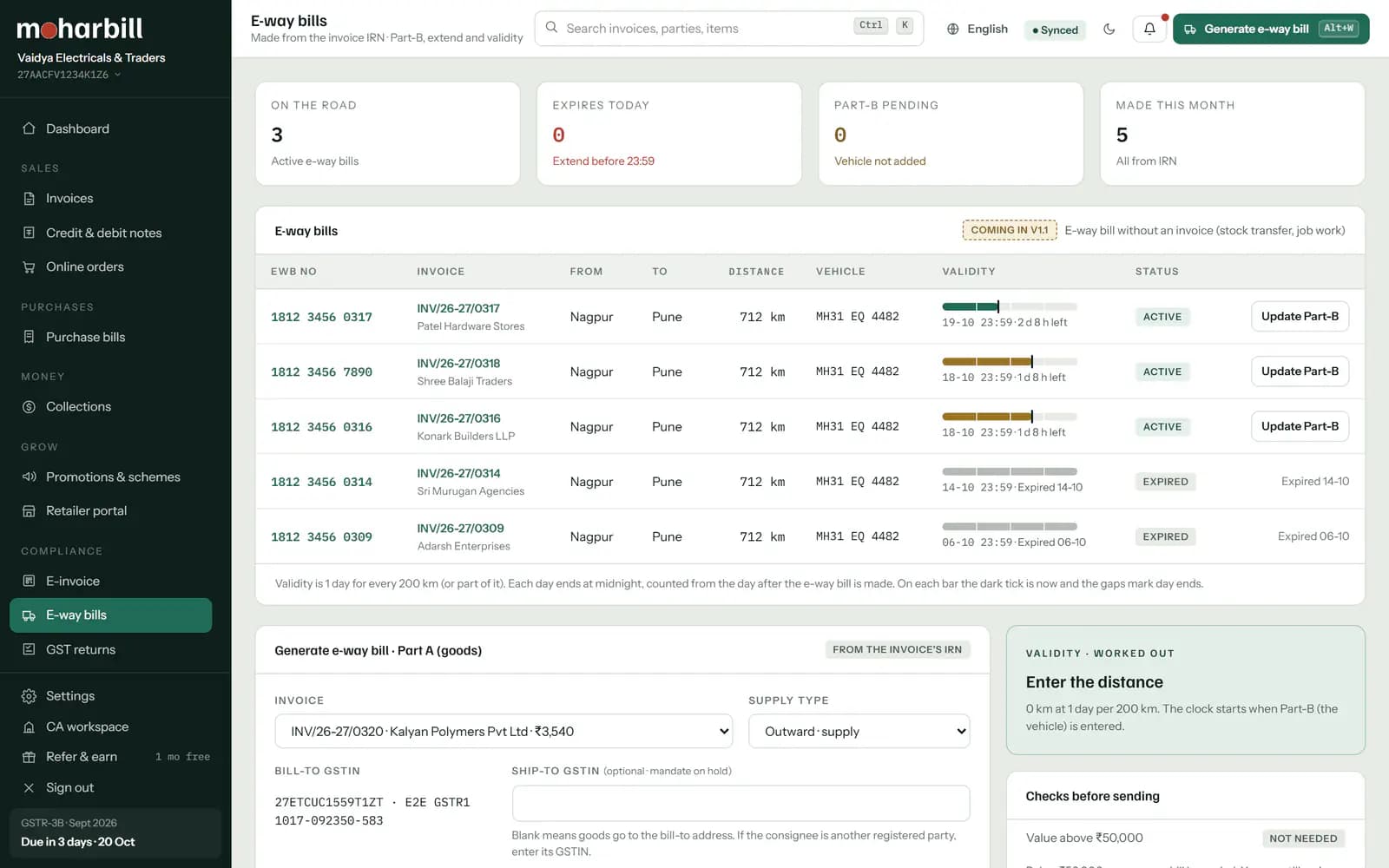
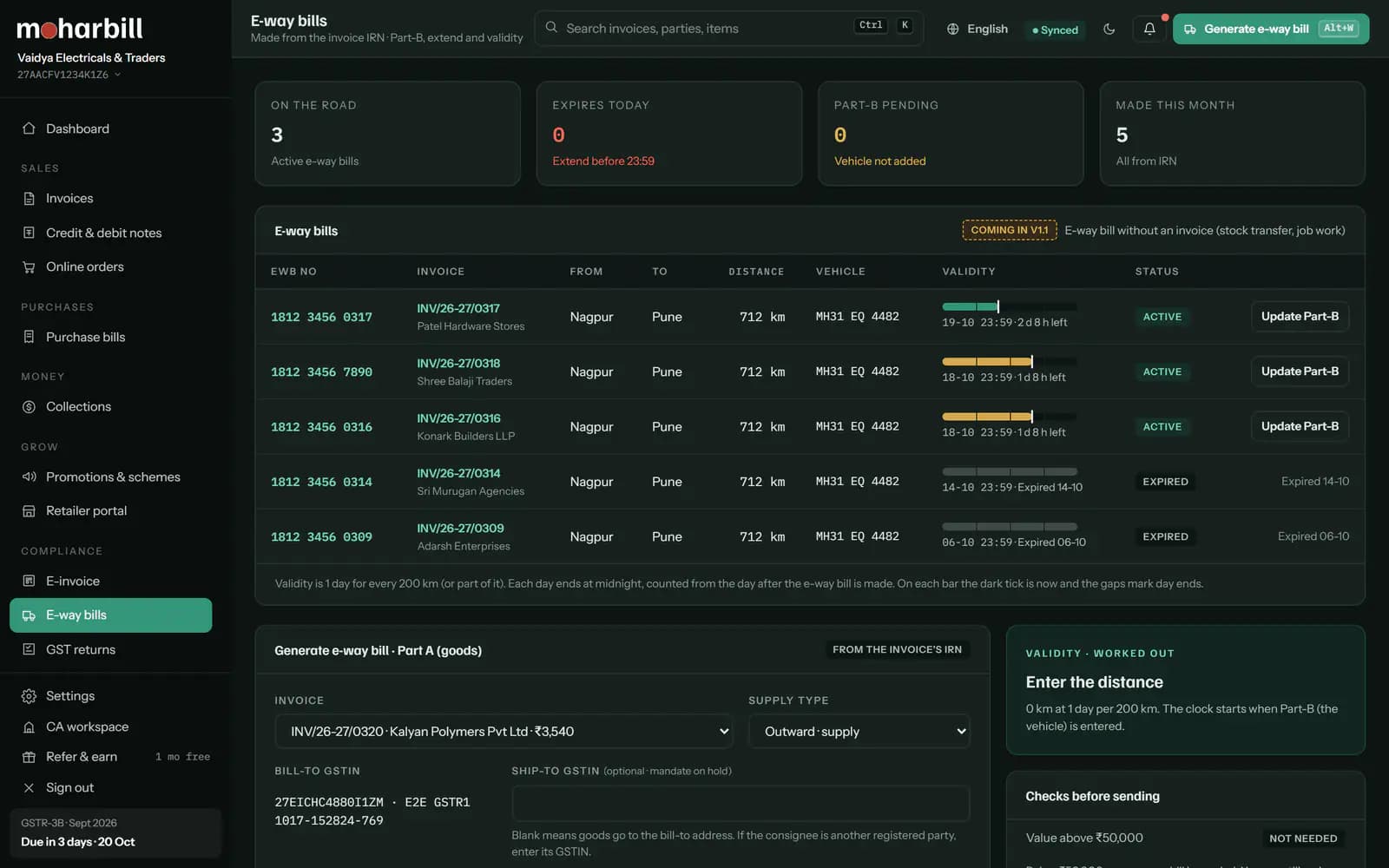
Check pincodes and distance
Confirm the from and to pincodes and enter the distance by road. The validity is shown as you type the distance.
Add the vehicle (Part-B)
Choose road, rail, air or ship and enter the vehicle number or the transporter's ID and document number. You can also save now and add the vehicle when the truck arrives.
Generate and share AltP
The e-way bill number and validity come back from the portal. Print it, or share the number with the driver; the officer can check it online.


Making it on the e-way bill portal instead
If you don't issue e-invoices, or the movement is a B2C sale, a stock transfer or job work, make the e-way bill on the government portal for now (standalone e-way bills in Moharbill are coming soon):
- Sign in on the e-way bill portal with your username, password and OTP.
- Choose e-Waybill → Generate New.
- Pick the transaction type (outward or inward), the sub-type (supply, job work, sales return and so on) and the document type.
- Enter the document number and date, the parties' GSTINs and addresses, the items with HSN, value and tax, and the distance.
- Fill Part-B with the vehicle number, or leave it for the transporter, and submit. Note the 12-digit e-way bill number.
After it is made: update, extend or cancel
- Vehicle changes: update Part-B with the new vehicle, where the goods are and the reason. See update Part-B.
- Running late: extend from 8 hours before to 8 hours after expiry, with the distance still to go. See extend an e-way bill.
- Made by mistake: cancel within 24 hours of generation, with a reason.
Questions about e-way bills
E-way bill kaise banaye mobile se?
Moharbill works in the phone's browser, so dispatch staff can make the e-way bill from the IRN on a phone. The government portal can also be used from a phone browser.
Is an e-way bill needed below ₹50,000?
Usually not, except for inter-state job work and a few specified cases. Some states set a higher limit for movement inside the state. Check your state's notification with your CA.
Can I make an e-way bill without a vehicle number?
Yes. Make Part-A now and add Part-B later. The e-way bill is valid for movement only once Part-B is added.
How long is an e-way bill valid?
One day for every 200 km or part of it for normal cargo (20 km for over-dimensional cargo), counted from the first Part-B and ending at midnight.
Can I cancel an e-way bill?
Yes, within 24 hours of generation, with a reason. After 24 hours the portal does not allow it.
Do I need an e-way bill if I have an e-invoice?
Yes, when the goods move and the value is above the limit. The IRN does not replace the e-way bill, but the e-way bill can be made from it, so Part-A doesn't have to be typed again.
Sources
Checked on 17-10-2026. Tax statements are reviewed by a CA before launch.
- CGST Rules 2017, rule 138 (e-way bill, ₹50,000 limit, inter-state job work) and rule 138(10) (validity).
- Maharashtra Notification 15E/2018-State Tax (29-06-2018) and Delhi Notification 3/2018 (15-06-2018): ₹1 lakh limit for movement inside the state, as reproduced by taxheal.com; current status to be confirmed by our CA.
- GSTN advisory on e-way bill and e-invoice system updates: no e-way bill for documents older than 180 days; extension window.